Free Live Lyrics Projection
Free lyrics software for church: what free should actually include
Most churches start looking for free lyrics software for the same reason. Someone has been projecting songs from a slideshow app, it takes hours every week, and the church can't add another subscription to the budget.
The search usually turns up a lot of tools with the word "free" on them. Some are free for a month. Some are free until you add a second screen or a fourth volunteer. A few are free in full. This post is about telling those apart, and about what Kastr includes.
What a church needs from lyrics software
Before you compare anything, write down what your screens do on a normal Sunday. For most churches the list is short. Lyrics for the worship set, a scripture reading, some announcements, and sometimes a video or a welcome slide.
Lyrics software earns its place when it makes that list faster to prepare and calmer to run. That comes down to a few practical questions. How long does it take to turn a song into slides? Can the person at the desk jump back to the chorus when the worship leader repeats it? Can the screen go blank quickly when the pastor starts praying? Can more than one person on the team get to the same songs?
If a tool answers those well, it will probably serve you better than one with a longer feature list.
Where free plans usually stop
When a tool has paid tiers, the free tier is usually limited somewhere. Common limits include a cap on how many songs you can store, one output only, a watermark on the screen, or team features locked behind an upgrade. None of these are unreasonable for a business, but they matter for a church that plans to stay on the free version.
Read the pricing page before you put any time into a tool. If you build your library in a free plan and then hit a limit in month three, you either pay or start over.
What Kastr includes at no cost
Kastr has no paid plans. Every feature is free, in the browser and in the Windows app, and every feature is open to the whole workspace. The project is kept going by voluntary donations from teams who find it useful.
That covers the parts of the job that take the most time each week.
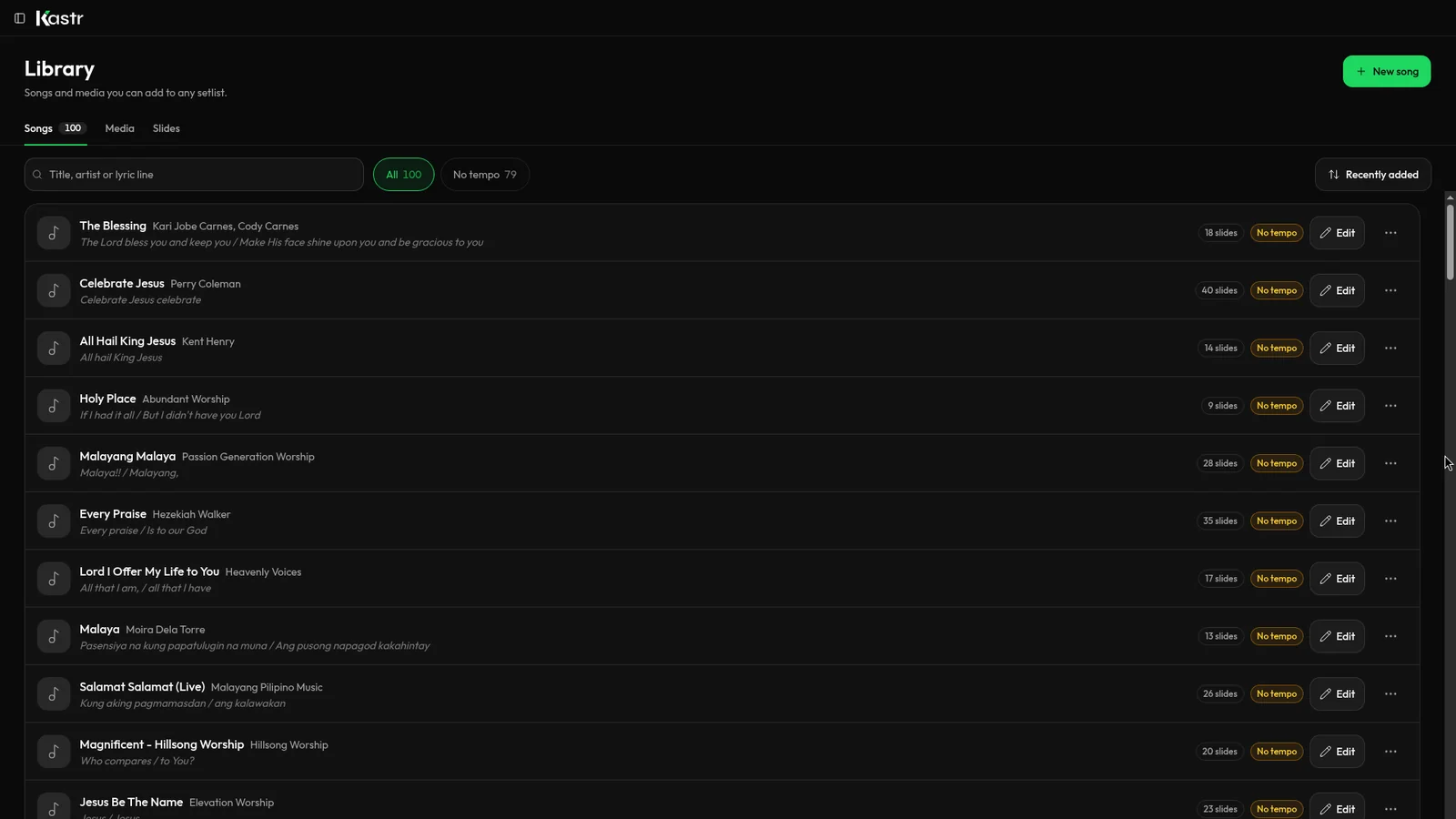
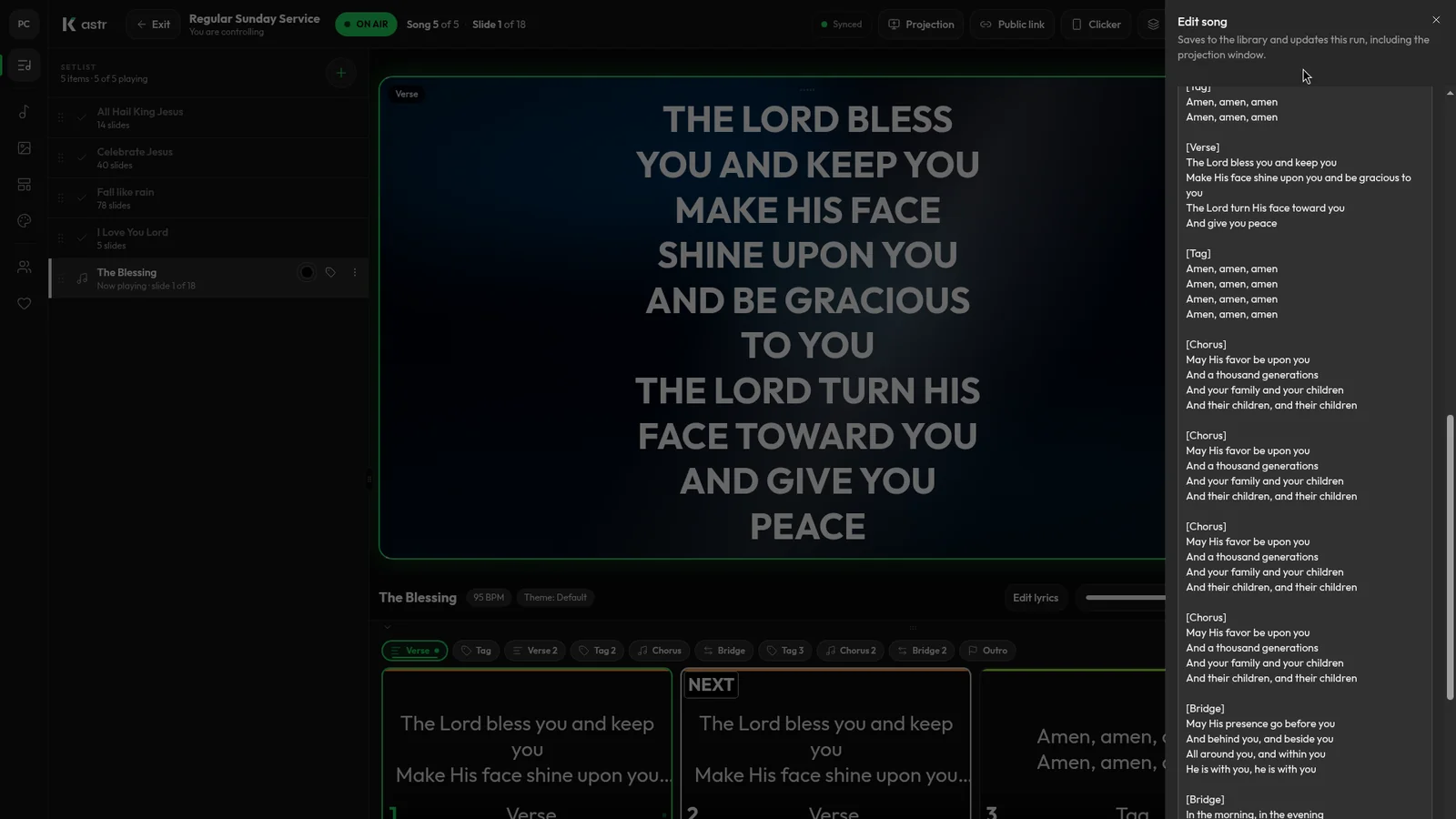
You paste the lyrics and Kastr builds the slides. Every blank line starts a new slide, and section names like Verse 1, Chorus and Bridge become labels you can jump to during the song. If a stanza is too long, Auto slice splits it into the number of lines per slide you choose.
Songs, media, custom slides and themes live in one library the whole team shares. You can search it by title, artist or a line of the lyrics.
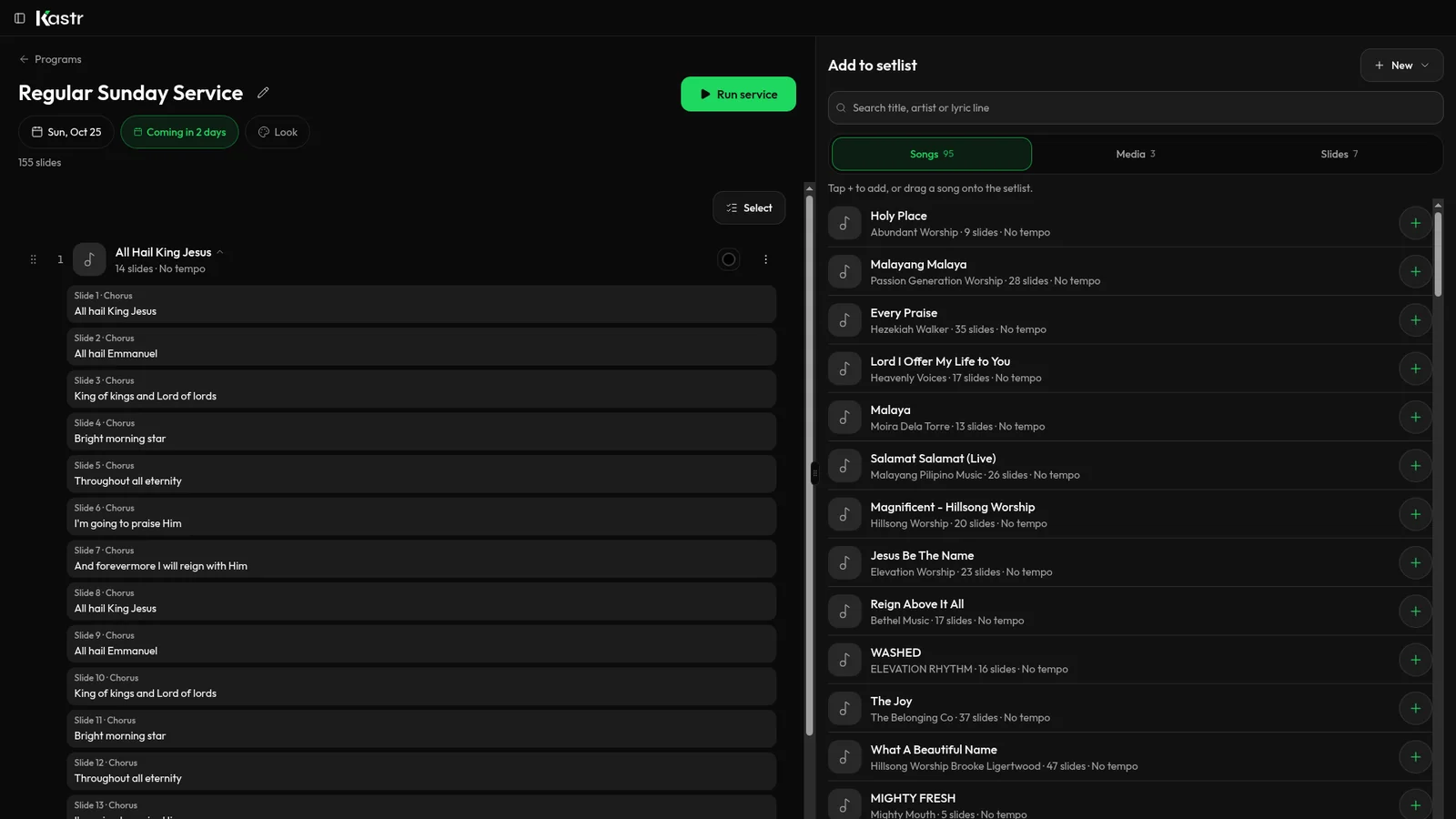
A program holds the songs, media and slides for one service in running order. You can drag entries into place, tag them with labels like Opener or Offering, and duplicate last week's program when only a few songs change.
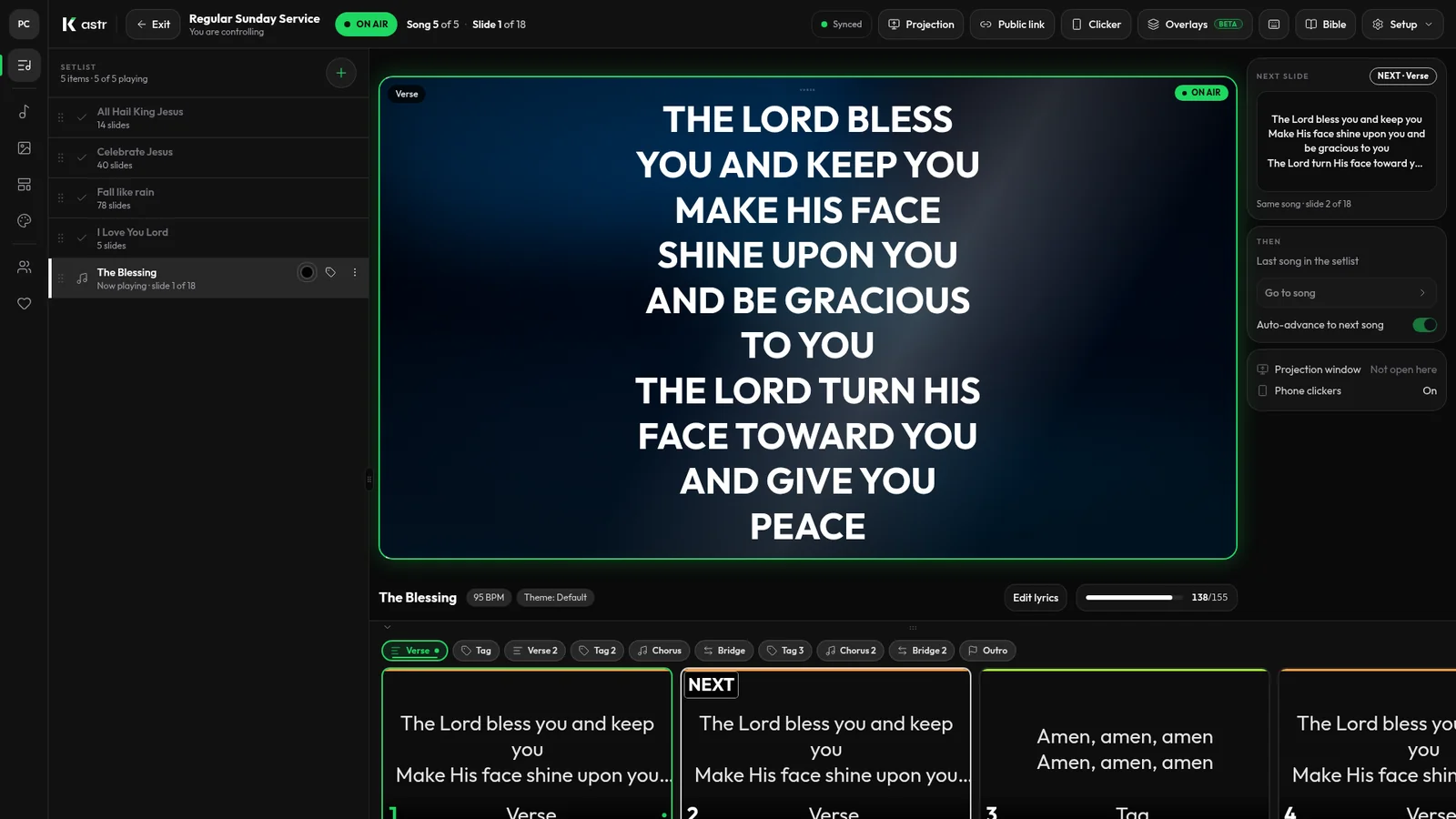
During the service, the operator deck runs every screen from one browser tab or the Windows app. The arrow keys move through slides, B blacks out the screens, and you can open a projector window that shows only the slides.
Bible mode puts scripture on screen from the same deck, with English, Tagalog and Ilocano translations.
A teammate can advance slides from their phone by scanning a QR code, and the operator can pause every phone clicker with one switch.
Free and still useful in a year
The other question with free software is whether it will still suit you once your library grows and more people join the team. Kastr is organised around workspaces. Each team or venue gets one, people join with a link or a short code, and owners and admins can manage roles. If you serve in more than one team, you switch between workspaces from the sidebar.
Because the library is shared, the songs one person adds this month are there for every volunteer next month. That's usually where the real time savings come from, more than any single feature.
Web or Windows
You can use Kastr two ways. Web Kastr runs in a browser and needs nothing installed, so it suits a booth with a steady connection or a computer that changes week to week. Kastr for Windows is an installer for 64-bit Windows that runs fully offline, with no account needed. If you do sign in, your songs, themes and programs sync from web Kastr.
Both versions have the same tools, and both are free.
When free isn't the deciding factor
If your church runs a large production with many outputs, timecode and lighting control, you may need dedicated presentation software and the cost that comes with it. Kastr is built for lyrics, scripture, media and slides run by a church media team. For most small and mid-sized churches that's the whole job, but be honest about your own Sunday before you decide.
Try it with this week's songs
The fastest way to judge any lyrics software is to build a real service in it. Take this Sunday's set, paste in the songs, add your announcements and run through it once with whoever usually sits at the desk.
Download Kastr for Windows or open it in your browser, and have next Sunday's lyrics ready in one sitting.
Need offline projection on Sunday?
Kastr for Windows runs fully offline on the booth computer. Download the installer once when you have a connection, then run your program without signing in.
More from the blog
Setting up free lyrics projection before Sunday: a step-by-step checklist
A first-time setup guide for church lyrics projection, from creating a workspace to a full rehearsal, so your first Sunday with Kastr goes to plan.
Running church lyrics with one volunteer
In a small church, one person often runs the screens, and sometimes the sound too. Here's how to set up lyrics projection so a single volunteer can handle it.
How to format song lyrics into slides that are easy to read
Readable lyric slides come down to how you format the text before it hits the screen. Here's how to prepare lyrics so Kastr builds clean slides every time.